
The "Cursor for Scientists" is Here: Meet OpenAI Prism
The fragmentation of scientific research ends today. OpenAI has officially launched Prism, a revolutionary, free AI-powered workspace designed to transform how we write, collaborate, and publish science. 2025 was the year AI changed software engineering. 2026 is the year AI accelerates scientific discovery.
- Technology
- Knowledge Sharing
- Artificial Intelligence
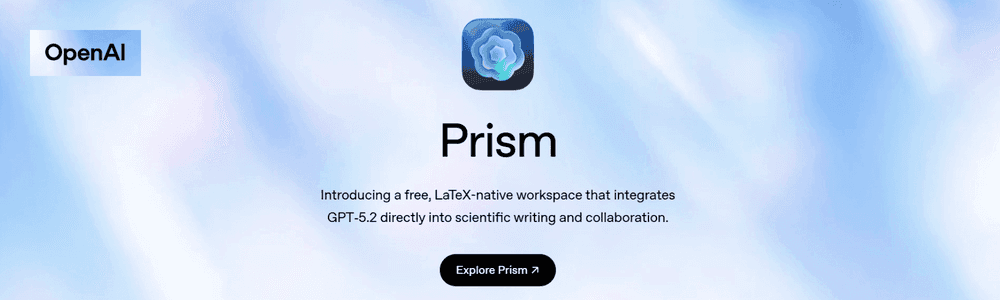
A New AI-Powered Workspace for Scientific Writing
On January 27, 2026, OpenAI unveiled Prism, a revolutionary free workspace designed to transform how scientists write, collaborate, and publish research. Built on the foundation of Crixet, a cloud-based LaTeX platform OpenAI acquired, Prism integrates GPT-5.2 directly into the scientific writing workflow, bringing an end to the fragmentation that has plagued researchers for decades.
If 2025 was the year AI transformed software development, 2026 is poised to be the year AI accelerates scientific discovery. As Kevin Weil, OpenAI's VP for Science, puts it: "I think 2026 will be for AI and science what 2025 was for AI and software engineering". Prism represents OpenAI's first major step toward that vision, a "Cursor for Scientists" that embeds advanced AI reasoning directly into the research writing process.
What Makes Prism Different?
Traditional scientific workflows require researchers to juggle multiple disconnected tools: LaTeX compilers, PDF readers, reference managers, separate chat interfaces, and collaboration platforms. This fragmentation interrupts focus, creates version conflicts, and consumes precious time that could be spent on actual research.
Prism consolidates everything into a single, cloud-based workspace where GPT-5.2 isn't just an assistant, it's embedded directly within your project. The AI has full access to your document's structure, equations, citations, figures, and surrounding context, enabling it to provide intelligent, project-aware assistance at every stage of the writing process.
Getting Started: Access and Availability
The best part? Prism is completely free. Anyone with a ChatGPT personal account can start using Prism immediately at prism.openai.com, with unlimited projects and unlimited collaborators. No seat limits. No installation requirements. No LaTeX environment setup headaches.
For institutional users, OpenAI plans to roll out access to ChatGPT Business, Team, Enterprise, and Education plans soon. While more advanced AI features may require paid ChatGPT plans in the future, the core platform remains free to ensure broad accessibility across institutions, disciplines, and career stages.
How to Use Prism: Key Features and Workflows
1. Intelligent Drafting with Full Context Awareness
Unlike traditional AI chat tools that operate in isolation, Prism's GPT-5.2 integration understands your entire document. When you ask for help revising a section, suggesting related work, or refining an argument, the AI considers:
- Your paper's overall structure and flow
- All equations and how they relate across sections
- Existing citations and references
- Figures and their captions
- The broader context of your research
This deep context awareness means you get suggestions that actually fit your paper, not generic responses that require extensive editing.
2. Literature Search and Citation Management
One of Prism's most powerful features is its ability to search for and incorporate relevant literature directly within your manuscript. Simply describe the kind of research you need, and Prism can:
- Search academic databases like arXiv for relevant papers
- Suggest how newly identified work relates to your research
- Help you incorporate citations naturally into your text
- Integrate with Zotero for comprehensive reference management
This contextual literature search means you can discover and cite relevant work without breaking your writing flow.
3. Turn Whiteboard Sketches into LaTeX Code
Perhaps the most impressive feature is Prism's ability to convert whiteboard equations and diagrams directly into LaTeX code. Instead of spending hours manually recreating handwritten equations or adjusting graphics pixel by pixel, simply:
- Take a photo of your whiteboard or sketch
- Upload it to Prism
- Let GPT-5.2 transform it into clean, publication-ready LaTeX
This image-to-code functionality leverages GPT-5.2's advanced vision capabilities to understand mathematical notation, diagrams, and figures, dramatically reducing formatting time.
4. Real-Time Collaboration Without Limits
Scientific research is inherently collaborative, often spanning institutions and geographies. Prism supports unlimited collaborators with real-time editing, commenting, and revision tracking.
Multiple team members can work simultaneously on different sections, leave comments, and see changes reflected instantly, eliminating version conflicts and manual merging that plague traditional workflows.
5. AI-Powered Proofreading and Error Fixing
Prism includes an editor-native assistant that can:
- Generate LaTeX snippets on demand
- Diagnose compilation problems and explain errors
- Fix errors inline with targeted edits
- Suggest improvements to equations, citations, and formatting
Errors and warnings appear as visual markers in the editor margin, and you can ask Prism to explain and fix specific issues without leaving your workspace.
6. Voice-Based Editing for Quick Changes
For simple edits and revisions, Prism offers optional voice commands. This allows you to make quick changes during review sessions without interrupting your flow.
7. Chat with GPT-5.2 Thinking for Deep Reasoning
Prism allows you to open multiple AI chat sessions simultaneously, each handling different tasks:
- Verifying mathematical equations
- Generating lecture notes from your research
- Exploring ideas for your next experiment
- Searching for related literature
Each chat session has access to your full project context, making conversations more relevant and reducing the need to repeatedly explain your research.
Real-World Use Cases
For PhD Students and Postdocs
Writing a dissertation or preparing journal articles becomes more manageable with Prism's comprehensive support. The AI can help:
- Structure your chapters and arguments
- Debug LaTeX compilation errors
- Search for related work and manage citations
- Convert handwritten derivations into clean LaTeX
- Collaborate with advisors who may not be LaTeX experts
For Research Teams
Distributed teams collaborating across institutions benefit from:
- Shared workspaces with no access barriers
- Real-time collaboration without version conflicts
- Project-aware AI that understands the full context
- Integration with existing reference management tools
For Academics Preparing Conference Submissions
When facing tight deadlines, Prism accelerates the writing process through:
- AI-powered literature search and incorporation
- Rapid conversion of rough notes and sketches into formal LaTeX
- Intelligent proofreading and formatting suggestions
- Collaborative editing with co-authors
For Scientists Generating Teaching Materials
Beyond research papers, Prism can help create:
- Lecture notes complete with properly formatted equations
- Problem sets for graduate courses
- Presentation materials with consistent formatting
- Course outlines based on research content
Understanding GPT-5.2: The Engine Behind Prism
Prism is powered by GPT-5.2, OpenAI's most advanced model for mathematical and scientific reasoning. The model comes in three variants:
- GPT-5.2 Instant: Optimized for speed and everyday tasks
- GPT-5.2 Thinking: Applies deeper reasoning for complex problems, producing more polished, structured outputs
- GPT-5.2 Pro: Research-grade intelligence for highest-stakes work
For scientific writing, GPT-5.2 Thinking and Pro excel at:
- Complex mathematical reasoning (93.2% accuracy on graduate-level benchmarks)
- Long document analysis across large contexts
- Multi-step problem solving and proof assistance
- Deep synthesis across multiple papers and sources
This makes Prism particularly effective for demanding scientific workflows that require both technical precision and contextual understanding.
Prism vs. Traditional Workflows
| Aspect | Traditional Workflow | Prism |
|---|---|---|
| Setup | Local LaTeX installation, package management | Cloud-based, no installation required |
| AI Integration | Separate chat tools, copy-paste between applications | GPT-5.2 embedded with full project context |
| Collaboration | Email attachments, Dropbox, manual merging | Real-time editing, unlimited collaborators |
| Literature Search | Separate browser tabs, manual citation formatting | Integrated arXiv search with contextual suggestions |
| Diagrams | Manual TikZ coding or external graphics tools | Photo-to-LaTeX conversion with AI |
| Cost | Free or subscription-based | Completely free with unlimited projects |
| Context Awareness | None, tools operate independently | Full document understanding |
Prism vs. Overleaf: What's the Difference?
For researchers familiar with Overleaf, a natural question arises: how does Prism compare?
Similarities: Both are cloud-based LaTeX editors with real-time collaboration, compilation in the cloud, and no local installation requirements.
Key Differences:
- AI Integration: Prism embeds GPT-5.2 with deep project context and reasoning capabilities, while Overleaf offers AI Assist with different capabilities
- Pricing Model: Prism is free with unlimited collaborators; Overleaf has various pricing tiers with seat limits
- AI Capabilities: Prism excels at reasoning over full document structure, whiteboard-to-LaTeX conversion, and contextual literature search
- Ecosystem: Overleaf is open-source and partially self-hostable; Prism is tied to OpenAI's ecosystem
Both are excellent tools, but Prism's advanced AI reasoning and free unlimited access make it particularly compelling for researchers who want to integrate cutting-edge AI into their writing workflow.
Practical Tips for Using Prism Effectively
Start Simple, Then Expand
Begin by creating a new project and importing an existing LaTeX document, or start fresh with a template. Experiment with asking Prism to:
- Explain existing sections in simpler terms
- Suggest improvements to your abstract
- Find and cite relevant literature
- Convert a handwritten equation into LaTeX
As you become comfortable with basic features, explore more advanced capabilities like multiple parallel chat sessions and collaborative editing.
Leverage Context-Aware Prompts
Because Prism understands your full document, you can ask contextual questions like:
- "Are there any inconsistencies in how I've defined this variable across sections?"
- "Find papers that use similar methodology to Section 3"
- "Suggest how to improve the flow between my introduction and methods"
- "Generate a problem set based on the equations in Section 4"
Use Multiple Chat Sessions Strategically
Open separate chat sessions for different types of tasks:
- Session 1: Literature search and citation recommendations
- Session 2: Equation verification and mathematical reasoning
- Session 3: Writing style and clarity improvements
- Session 4: Generating supplementary materials (lecture notes, slides)
This parallel processing approach can dramatically accelerate your workflow.
Combine Prism with Your Existing Tools
Prism integrates with Zotero for comprehensive reference management, allowing you to maintain your existing citation workflow while benefiting from AI-powered assistance. You can also export projects as ZIP files, ensuring you're never locked into the platform.
Limitations and Considerations
While Prism offers impressive capabilities, there are some limitations to keep in mind:
- Internet Required: As a cloud-based platform, Prism requires an internet connection
- LaTeX Only: Not suitable if you prefer WYSIWYG editors or work primarily in Word
- OpenAI Ecosystem: Access requires a ChatGPT account, which may not align with all institutional policies
- Enterprise Rollout: Business and Enterprise users must wait for organizational availability
- Future Pricing: More advanced AI features may eventually require paid ChatGPT plans
Additionally, some former Crixet users have raised privacy questions about data usage. OpenAI states that users can control whether their data is used to enhance models, following their standard privacy policies.
The Bigger Picture: AI's Role in Scientific Discovery
Prism represents more than just a better LaTeX editor, it's part of OpenAI's broader vision for AI-accelerated scientific discovery. ChatGPT currently receives 8.4 million weekly messages on advanced science topics, demonstrating enormous demand for AI assistance in research.
OpenAI's long-term vision extends beyond writing to include:
- Integration with computational notebooks for experimental design
- Connection to robotic labs for automated experiments
- Compression of decades of scientific progress into shorter timeframes
- Democratization of high-quality research tools across institutions and geographies
Recent examples demonstrate this potential: a statistics paper published in December 2025 used GPT-5.2 Pro to establish new proofs for central axioms, with human researchers only prompting and verifying the model's work. This human-AI collaboration model represents a new paradigm for scientific discovery.
Getting Started Today
Ready to transform your scientific writing workflow? Here's how to begin:
- Visit prism.openai.com and sign in with your ChatGPT account (or create a free account)
- Create your first project by uploading an existing LaTeX document or starting from scratch
- Experiment with AI features by asking Prism to explain sections, find literature, or convert diagrams
- Invite collaborators by sharing your project link, no seat limits
- Explore advanced features like multiple chat sessions, voice editing, and Zotero integration
For institutions interested in Enterprise access, OpenAI is working on rollout plans for ChatGPT Business, Enterprise, and Education plans.
Conclusion: A New Era for Scientific Writing
OpenAI Prism represents a fundamental reimagining of how scientists write, collaborate, and publish research. By embedding GPT-5.2 directly into the LaTeX workflow, with full project context, literature search, whiteboard-to-code conversion, and unlimited collaboration, Prism eliminates the fragmentation that has slowed scientific progress for decades.
Whether you're a PhD student writing your first paper, a research team collaborating across continents, or a professor preparing lecture materials, Prism offers a compelling combination of power, accessibility, and intelligence. And with completely free access and unlimited collaborators, OpenAI is ensuring that cutting-edge AI tools are available to researchers at every institution and career stage.
The scientific community has long deserved tools that match the sophistication of the research being conducted. With Prism, that future has arrived. As AI continues to accelerate discovery across mathematics, biology, physics, and beyond, platforms like Prism will play an increasingly central role, empowering scientists to work faster, collaborate more effectively, and focus on what matters most: advancing human knowledge.
The "Cursor for Scientists" is Here: Meet OpenAI Prism
The fragmentation of scientific research ends today. OpenAI has officially launched Prism, a revolutionary, free AI-powered workspace designed to transform how we write, collaborate, and publish science. 2025 was the year AI changed software engineering. 2026 is the year AI accelerates scientific discovery.